- Subject
- Microsoft 365 & SharePoint
- Filed
- Source
- Al Iverson
- Loans
- 371
AI Inbox Features Change Email Marketing: What Teams Should Test
AI summaries, priority filters and email agents are changing how subscribers find messages. Marketers should test how their content gets surfaced and earn repeat engagement.

AI is changing email marketing at three points: how a message appears in the inbox, whether a subscriber browses the inbox at all, and whether an AI agent handles the email on the subscriber’s behalf. For marketing teams, the practical issue is visibility. A delivered message may still be missed if a summary replaces its pitch or an agent decides it doesn’t match the recipient’s priorities.
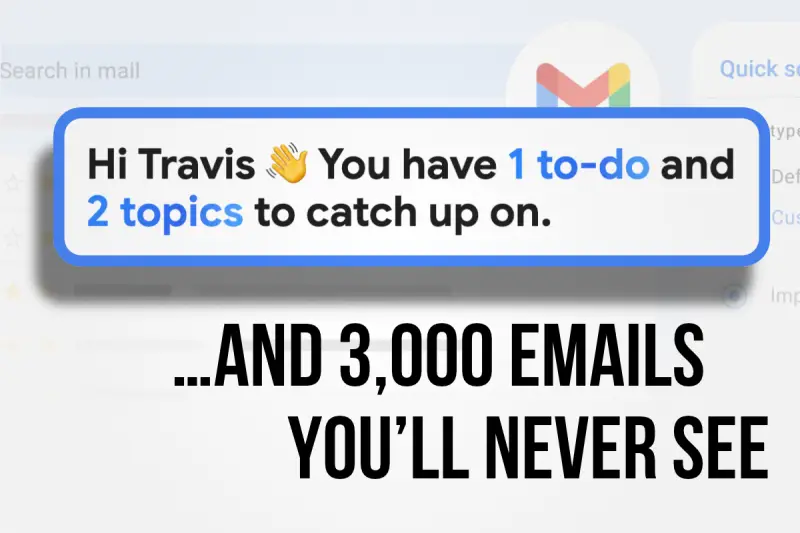
Travis Hazlewood, who leads a deliverability team at Ortto and has spent seven years in email deliverability, describes these changes as three stages. Google’s AI Inbox illustrates the direction of travel: it presents a short list of tasks and topics to catch up on, leaving other unread messages out of view. The feature is currently paid and available only in the US.
Stage one: AI reshapes the inbox preview
Mailbox providers are already using AI to change what subscribers see before opening a message. Summaries and extracted details can take the place of preview text in Apple Mail, Yahoo Mail and Outlook. Yahoo can also replace a brand’s subject line with its own summary.
Visibility can shift even when the message remains in the inbox. Deal Cards and ads from Google and Yahoo can push email content below the first screen. Outlook’s Copilot Prioritize feature, which requires a paid Copilot licence and must be enabled by the user, can also affect how business email is presented.
At this stage, subscribers still browse the inbox, but marketers have less control over the first impression. A carefully written subject line or preview may not be what appears on screen.
Stage two: AI reduces inbox browsing
Newer features help users act on information without opening and scanning messages one by one. Google’s AI Inbox groups tasks and topics into a simplified view. Yahoo’s Planner, available through its mobile app in the US for now, extracts details from personal administration emails and suggests calendar tasks. Yahoo Catch Up uses card-style displays to make inbox clean-up easier, so users can clear irrelevant messages without opening them.
Apple’s Priority Messages moves emails it identifies as time-sensitive to the top for users who enable the feature. Outlook Prioritize labels incoming messages as high, normal or low priority and lets users filter to high-priority mail. That weakens the assumption behind send-time optimization: arriving most recently may no longer put a message at the top of a subscriber’s attention.
For bulk senders, these tools chip away at the casual scroll. A message must be relevant enough to earn a place in a prioritised view, or clear enough in its extracted details to prompt action.
Stage three: an agent handles the email
Some Claude and ChatGPT users connect their accounts to email and let agents scan, summarize or draft replies. In some cases, an agent can send a message without the user’s direct involvement. That changes the contest entirely: the agent reads the email’s live text and weighs urgency against the user’s priorities, rather than the marketer’s campaign plan.
Inbox placement still matters, because an agent is unlikely to retrieve a message from spam. But placement alone won’t ensure that the email reaches the recipient’s attention. The message also needs to fit what the user values and provide information that survives an AI summary.
Make the message matter beyond its design
When subject lines and visual layouts lose influence, the substance of the email and the relationship behind it carry more weight. Hazlewood’s advice centres on earning ongoing priority through relevant, engaging communication:
- Use activity-triggered automations where they fit. A message prompted by a subscriber’s activity is more likely to match what matters to that person now than a general bulk send.
- Segment audiences or use dynamic content. Relevance must be earned for each subscriber, since priority features make decisions at the individual level.
- Choose consistency and substance over volume and flash. Repeat engagement can help maintain the relationship that makes future messages worth surfacing.
- Put key offers in live text. Summaries and agents may not interpret text embedded in a hero image. If the offer appears only there, the extracted summary may miss it.
- Give readers a reason to move past the summary. A distinctive writing voice and useful secondary content can make opening the full message worthwhile.
- Test new content routinely. Observing how AI systems interpret different messages can reveal patterns marketers can respond to.
Test what AI does with your emails
Regular subscriber testing remains useful, but teams can add tests for AI presentation and handling. Hazlewood suggests enabling Apple Intelligence on an iPhone 15 Pro or newer, trying available summary features with test addresses at relevant providers, and connecting tools such as Claude or ChatGPT to test mailboxes.
Assess whether agents include messages in inbox-wide summaries and whether the output reveals an unexpected pattern. Check whether the offer still feels worthwhile after summarization, whether a customer would prioritize the message, and whether the remaining content holds up when the summarized pitch is removed. A neutral test project or agent can help reduce bias in these checks.
Each provider and agent uses its own algorithms, so trying to control every result is a poor use of time. Teams can still shape the signals that matter across systems: relevant content, clear live text and subscribers who keep engaging. As AI takes on more of the work of sorting messages, those are the conditions most likely to help an email earn attention.


