- Subject
- Microsoft 365 & SharePoint
- Filed
- Source
- Vlad Catrinescu
- Loans
- 468
Copilot Cowork Apps: Build, Code and Govern Them in Microsoft 365
Copilot Cowork can turn a prompt into a hosted app, then hand it to developers. Admins control app access, connectors and costs in Microsoft 365.
Copilot Cowork’s app building connects prompt driven creation with a route into development and administration. A business user can describe a small app in plain language, have it hosted in Copilot Managed Runtime, and then hand its code to a developer for changes. That gives teams a way to experiment without leaving the app’s hosting, identity and governance inside Microsoft’s environment.
At the Power Platform Community Conference, Microsoft AI Global Solutions Architect Damien Bird demonstrated the full cycle: build an app in Cowork, clone it to a local computer, change it with GitHub Copilot, push the update, and continue editing in Cowork. The first version of the demo used 83 Copilot Credits to build. Running it has separate licensing and credit considerations, so admins will want to review both before makers start producing apps.
One runtime for makers and developers
Copilot Managed Runtime is designed to support a range of skill levels. A business user can create an app from a description in Copilot Cowork, which is available through Microsoft Copilot, formerly Microsoft 365 Copilot. Low code makers can build in Copilot Studio, while developers can create apps from scratch or take over code produced by someone else. The apps run in the same managed environment.
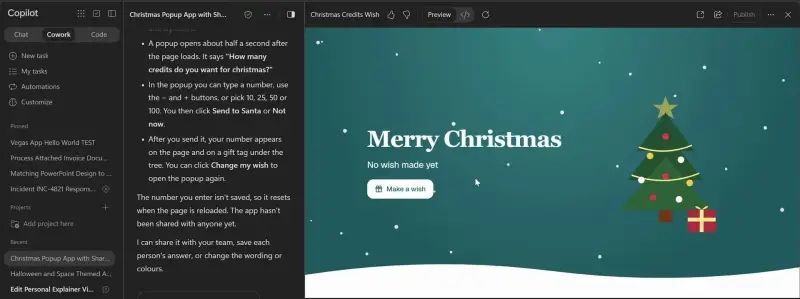
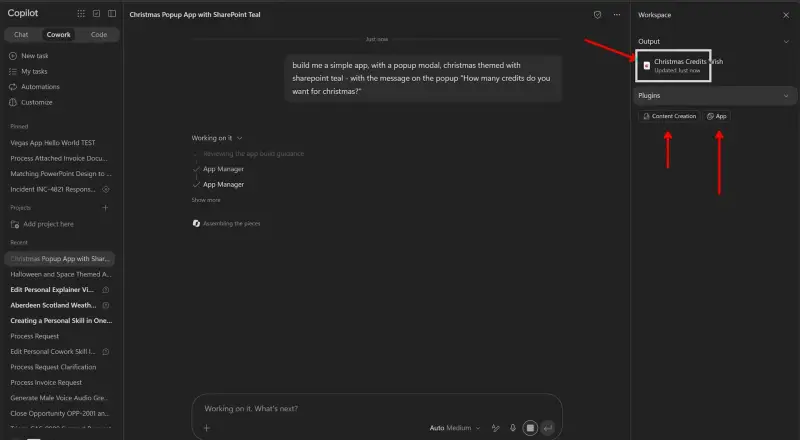
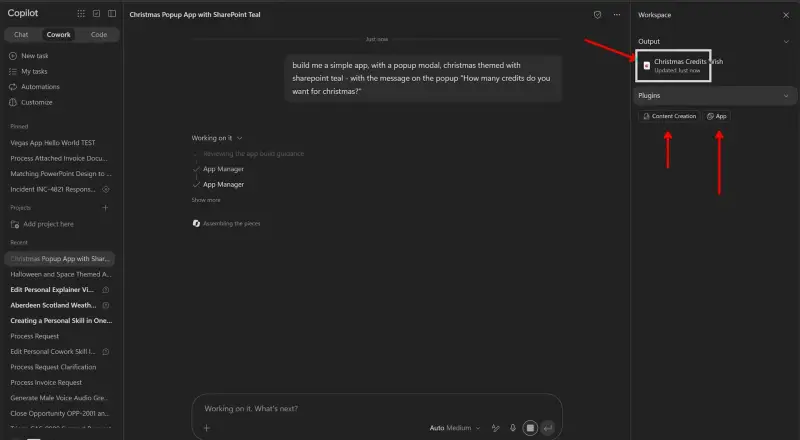
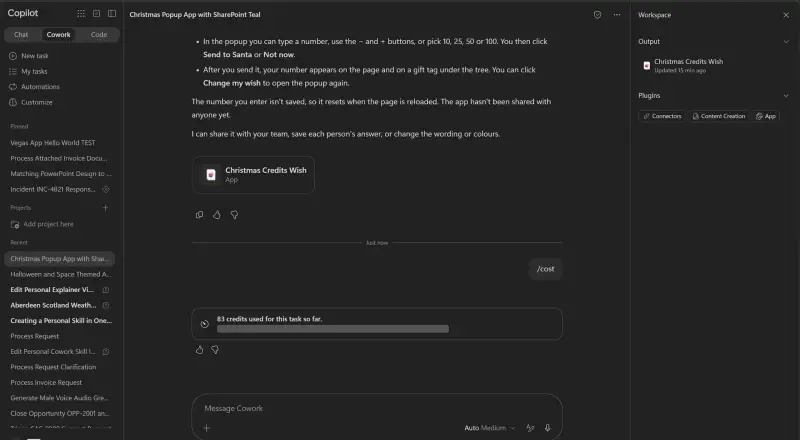
In the demonstration, Bird started a new Cowork chat and requested a simple app with a pop up. The chosen design brief combined a Christmas theme with SharePoint teal. The pop up asked how many Copilot Credits the user wanted as a gift. Cowork called its App skill, planned the design and assembled a first version from that single prompt. It included a “Make a wish” button that opened the pop up.
Building apps in Cowork required a Microsoft Copilot license, access to Cowork and usage based billing enabled by the organization, since builds consume Copilot Credits. When the demonstration was recorded in late October 2026, app building was a preview feature in Frontier, Microsoft’s early access program. Requirements may change; Microsoft maintains them on its Build apps in Copilot Cowork page.
What the managed runtime provides
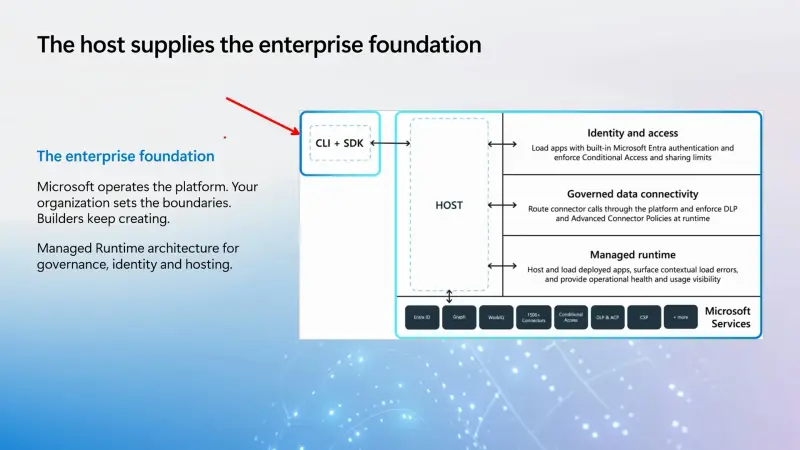
The main distinction from a generated HTML file or an app that only runs on its creator’s computer is that Managed Runtime hosts the app within Microsoft’s ecosystem. Apps use Microsoft Entra for sign in, appear in the Microsoft 365 admin center for discovery and governance, and can use data loss prevention policies. The environment also provides access to Microsoft Graph, Work IQ and connectors.
Developers can work through a command line tool or an SDK. The code is TypeScript, which means makers can work through Cowork without reading it, while developers can inspect and modify the underlying app. The command line and SDK also leave room to work with coding agents beyond Microsoft’s own tools, subject to the tenant’s app creation settings.
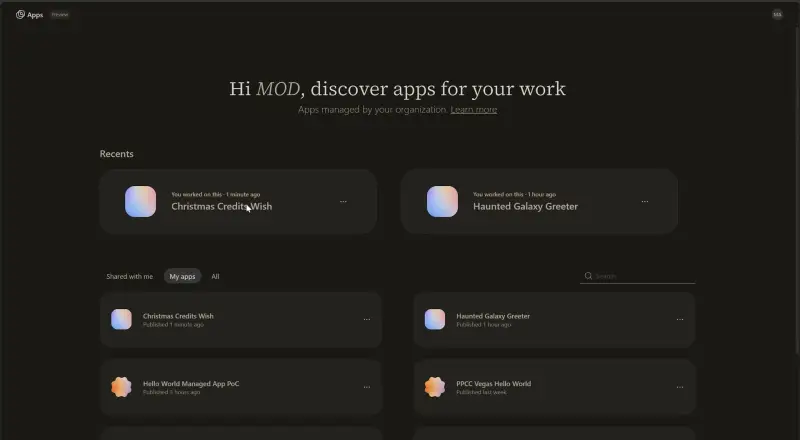
During the preview, a Cowork app is saved in its maker’s personal developer environment. Bird described that as the current default and expected the arrangement to evolve. The app can be opened from Copilot Studio, and a separate managed apps page lists apps for running and sharing. Sharing uses the familiar Microsoft 365 dialog.
From a Cowork prompt to local code and back
Bird copied the app’s browser address, opened a terminal in a local folder and asked GitHub Copilot in plain language to clone the app. He did not enter a clone command himself: the installed tools let Copilot find and run the appropriate one. The local folder contained the app’s code, matching what was visible behind Cowork’s preview.
That handoff matters for teams whose makers eventually need help with features beyond the first version. The developer can work with the code directly instead of rebuilding the app from scratch. In the demo, a request expanded the single gift into a wish list with Microsoft 365 licenses and Microsoft owned games. GitHub Copilot asked whether the wishes should represent real purchases and where to store them. The demo kept the data in the browser; a production app might use a SharePoint list or Dataverse, depending on its needs.
Those changes were local while development continued, leaving the hosted app untouched. Microsoft’s documentation says command line app creation is disabled by default. An administrator can enable it through the app creation settings in the Microsoft 365 admin center; review Microsoft’s guidance on controlling whether apps can be created using the CLI before developers try the workflow.
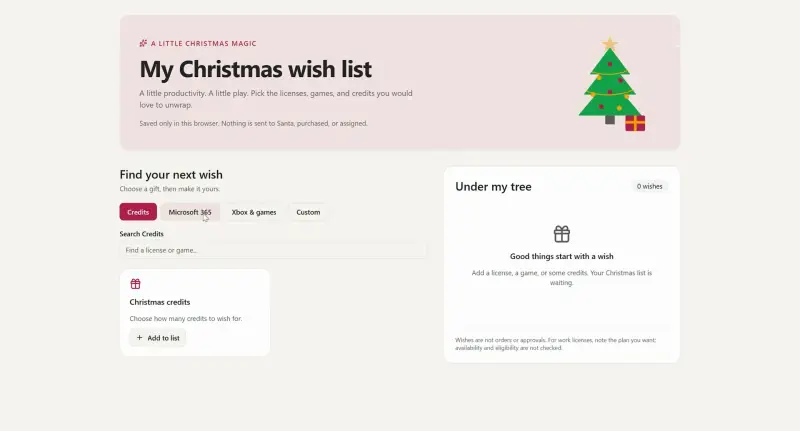
After testing the updated app locally, Bird pushed it back to the managed runtime. Refreshing the browser showed a “new version available” message, and the wish list became available online. The local change had also removed the requested SharePoint teal, so the team returned to the original Cowork conversation and told it that the app had changed outside the chat.
Cowork found the newer version, checked that there were no unsaved edits and switched to it. A new prompt restored the branding. That update remained a draft until Bird selected Publish. Cowork does not publish changes automatically, giving makers a point to review the draft before making it live.
Build costs and running costs
Building and running apps have different costs. Cowork’s cost command showed that the first demo version used 83 Copilot Credits. At one cent per credit, before any company discount, that build amounted to 83 cents. Teams can check their own usage after building to understand the charge in their tenant.
For running an app, users can use a Power Apps Premium license within that license’s limits, or pay with Copilot Credits if they don’t have the license. A Premium user generally does not use Copilot Credits just to run the app. Separate charges may apply if the app calls services billed separately, such as Work IQ APIs, or exceeds Power Apps Premium request limits. Apps with added AI features can incur Copilot Credit charges as well, similar to the distinction between a canvas app license and separately billed AI Builder use.
Microsoft documents the details in Manage licensing and Copilot Credits for apps on Copilot Managed Runtime. Bird also raised a question about apps calling Microsoft Foundry: the Foundry service has its own cost, but he did not have an answer on whether Copilot Credits would also apply.
Admin visibility and hosting choices
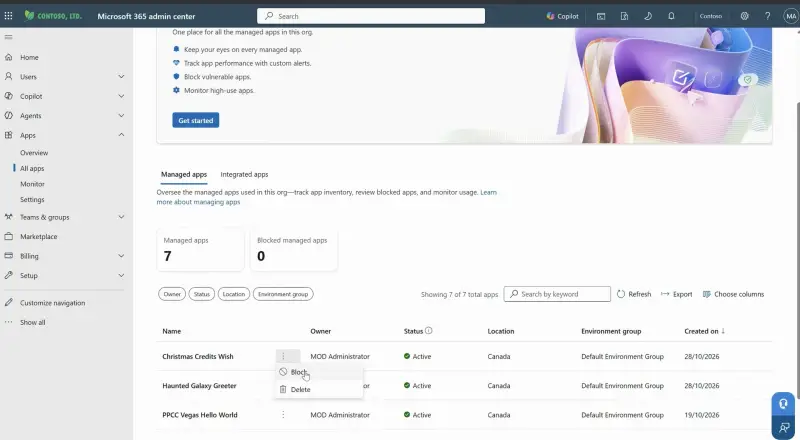
The Microsoft 365 admin center includes an apps area with an overview and an inventory of managed apps. In the demonstration, the Christmas wish list appeared in the inventory. Admins can see app owners and usage, monitor apps and configure alerts, review connectors and set connector policies, or block an app. Agents are listed in the same admin center.
Because the app is real code, a company could host it somewhere else, such as Azure Static Web Apps. Managed Runtime removes the need to set up a host, which may suit teams that want to build and run an app within Microsoft’s environment. The right choice depends on app size, expected audience and whether users already have the required licenses.
For admins, the practical starting point is to review the apps area and decide who can create apps, whether CLI based creation should be enabled, which connectors are allowed, and how build and run costs will be handled. Makers can begin with a small app and inspect its build usage. Developers should expect to receive working prototypes that can be cloned, changed and returned to Cowork. The feature was in preview during the demonstration, so tenant setup and the personal developer environment default may change.


