- Subject
- Microsoft 365 & SharePoint
- Filed
- Source
- Vlad Catrinescu
- Loans
- 901
Power Platform Reaches 80 Million Users as Microsoft Expands Apps, Agents and Governance
Power Platform has 80 million monthly active users. New Copilot app building, managed hosting and agent identities put more focus on admin oversight.

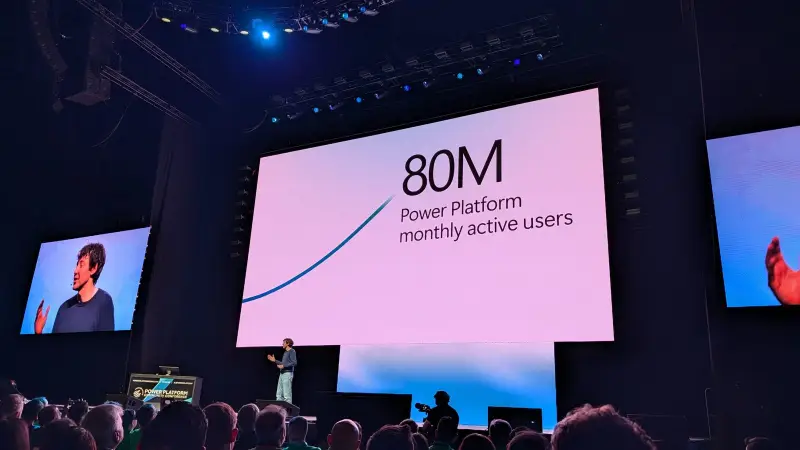
Power Platform’s growth is now showing up in a bigger shift: more people can create apps and agents, while Microsoft is adding ways for IT teams to host and manage what they build. At the 2026 Power Platform Community Conference (PPCC) in Las Vegas, Microsoft said the platform has reached 80 million monthly active users, up from 56 million last year and 25 million in 2022.
That combination—wider access to building tools and a stronger emphasis on governance—was the keynote’s practical message for administrators and makers. Users can now create Power Apps through the Microsoft Copilot app, while the Copilot Managed Runtime provides a Microsoft-hosted home for apps created with AI. Agents in Copilot Studio are also gaining their own identities, mailboxes and OneDrive storage. The question for IT teams is how to make those options useful while keeping visibility over the resulting apps, flows and agents.
Adoption is accelerating
Charles Lamanna used the opening of the keynote to put the platform’s growth in context. Monthly active users rose from 25 million in 2022 to 48 million in 2024, 56 million in 2025 and 80 million in 2026. That is more than three times the 2022 figure, with a larger year-over-year increase than the speaker had previously seen.
Usage indicators also moved up. Microsoft reported that 20% more people open a Power App each day than last year, flow runs increased by 20%, and AI usage in Power Apps doubled. The figures suggest that adoption means more than a larger audience: people are opening apps and running automated workflows more often. Microsoft did not provide further measurement details in the keynote.
Nearly 10,000 makers attended the conference in Las Vegas. The event also featured sessions, a makers market, an NFL experience focused on how technology supports teams, and other activities. For administrators, the headline is less the event itself than the scale behind it: a larger pool of makers means more potential apps and flows to support, inventory and govern.

One community for Power Platform, Copilot Studio and SharePoint
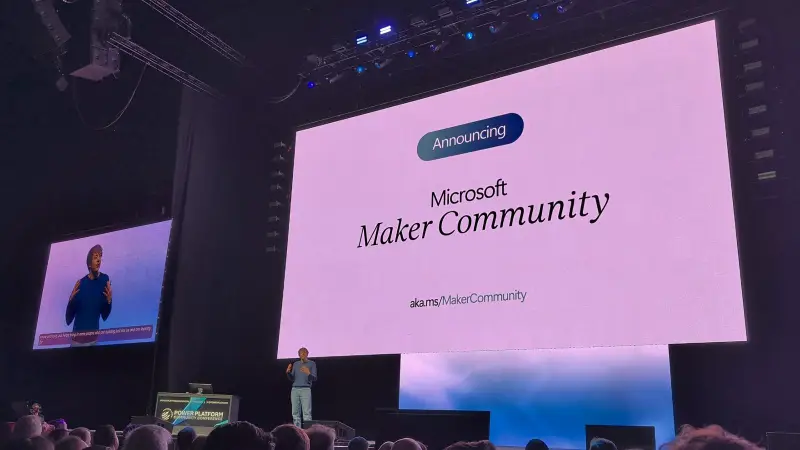
Microsoft introduced an expanded Microsoft Maker Community for people building with Power Platform, Copilot Studio and SharePoint. The community includes members in more than 140 countries and regions, and Microsoft said that over 90% of answers come from community members.
The inclusion of SharePoint broadens the community’s remit beyond the traditional Power Platform audience. Microsoft’s engineering teams for Power Platform and Microsoft 365 now sit under the same organization, and the announcement reflects a wider definition of who counts as a maker. The new community is at aka.ms/MakerCommunity.
That broader scope could affect the shape of future community events, although no change to the conference program was confirmed. For teams that work across Microsoft 365 and Power Platform, it may also make it easier to find guidance and peers across product boundaries.
Power Apps and Power Automate get practical updates
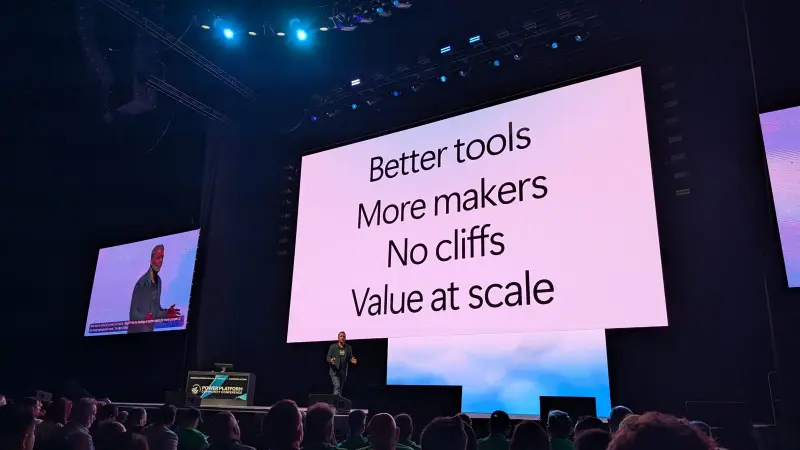
The keynote grouped its announcements around four themes: better tools, more makers, no cliffs and value at scale. Its first demonstration focused on conventional app building rather than AI, showing changes intended to improve the day-to-day experience for makers.
Power Apps now has a pop-out formula bar, giving makers more room to read and edit long formulas. Microsoft also said each new control is more than 30% faster. Model-driven apps are gaining calendar and card views that can be configured in a few clicks; the calendar view is designed to resemble Outlook.
For Power Automate, the designer now has inline action cards. Makers can view and change an action’s parameters on the canvas instead of opening a panel on the left. That puts more of a flow’s configuration in view at once.
Microsoft also described virtual network connectivity for cloud flows. It lets a cloud flow call an on-premises service without requiring a custom connector. That may reduce connector work for some environments, but teams should assess how the capability fits their network and environment requirements before using it.
Build Power Apps from the Microsoft Copilot app
The Microsoft Copilot app, formerly Microsoft 365 Copilot, now supports creating Power Apps. The app brings together chat with Copilot Cowork, Code and the new Autopilot experience. Users can describe the app they need, then use the resulting app to work with data and business processes.
Lamanna said he had built more Power Apps in Copilot during the previous two months than through the Power Platform interface in the prior two years. He also described apps as a preferred way to share information compared with documents or slide presentations. That approach can make information interactive, though it won’t suit every communication or reporting need.
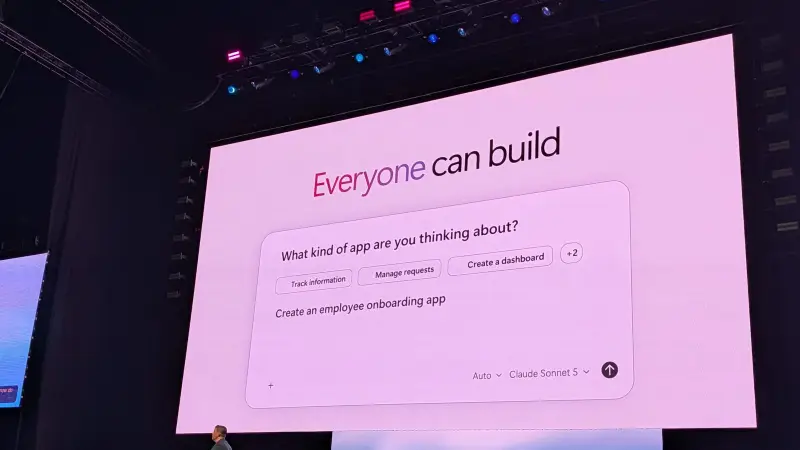
A demonstration featured a marine underwriter at Markel Insurance building an app for her team in Cowork by describing what she wanted. The app connected to company data, sent email through Outlook and updated Dataverse records. Sharing it was presented as similar to sharing a Word document.
The example illustrates the appeal of letting people closest to a business problem shape the first version of a solution. For IT teams, the next step is to understand how those apps connect to organizational data, which users can access them and who takes responsibility for changes as the apps become more widely used.
AI-built apps can move into developer workflows
Microsoft’s “no cliffs” theme addressed what happens when a low-code solution grows beyond its original scope. Previously, a maker could hit a point where the next step required pro-code work, often leading to a rebuild in a separate development tool. Microsoft’s message was that apps created with AI and low-code tools still have code behind them, giving developers a path to continue the work.
In one demonstration, a developer opened a Copilot Studio solution in Visual Studio Code and asked GitHub Copilot to explain it. The tool produced a diagram of the solution and identified a pattern in follow-up emails: three of the last 12 messages had asked suppliers for information they had already provided. The developer then corrected the issue without returning to the Copilot Studio designer.
The example points to a possible handoff between makers and developers in which the initial solution can keep evolving. Teams will still need to decide how that code is reviewed, maintained and supported, but the model could reduce the need to start again when an app’s requirements become more demanding.
Copilot Managed Runtime gives apps a hosted home
AI-generated apps can be difficult to share when they run only on a maker’s computer. The Copilot Managed Runtime is intended to address that problem by providing Microsoft-hosted runtime capacity for apps built in Cowork, Copilot Studio, Visual Studio Code or third-party tools. Microsoft said the runtime follows the policies set by an organization’s administrators.
For IT, managed hosting offers a route to bring some quickly built apps into a controlled environment. The keynote did not provide details on every available control, so administrators will need to check the service’s current configuration and cost model before deciding which workloads fit.
Runtime usage is billed through Copilot credits. The speaker raised a practical cost question: when does a team keep an app on the managed runtime, and when should a developer move it to another hosting option, such as Azure Static Web Apps? The keynote compared that option with a fixed price of around $10 a month. The right choice will depend on the app, its usage and the costs each hosting model creates.
Copilot Studio workflows and harness results
Copilot Studio’s workflows experience, generally available in August, combines predictable steps with AI tasks. A workflow can classify email, call an agent or ask Copilot Cowork to create a task. In the demonstration, an insurance company’s shared mailbox was classified, the appropriate agents and automations ran, and a quote was prepared for an underwriter. Microsoft said the full run cost less than 90 cents.
Makers can test an individual workflow step without running the entire process, and can arrange the workflow from left to right or top to bottom. These options can help teams inspect a process as they build it, particularly when a workflow combines deterministic actions with AI-driven decisions.
Microsoft also shared results for its newer Copilot Studio GitHub Copilot harness. In Microsoft’s testing, using the same model and tasks, code analysis performance rose from about 41% to 88%, while input tokens fell by about 45%.
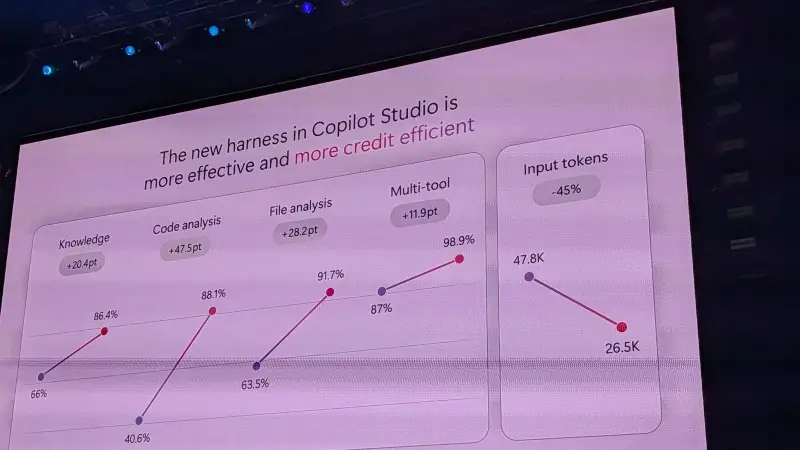
Those figures are Microsoft’s test results, not a guarantee of the same outcome for every workload. They do indicate that the harness can affect both task performance and token use, which are relevant when teams assess agent quality and running costs.
Agents gain identities, mailboxes and OneDrive
Agents in Copilot Studio can now have their own identity, mailbox and OneDrive. Users can interact with an agent in Teams, add it to a group conversation, email it or mention it in a Word document. Microsoft said agent identities are rolling out to everyone in Copilot Studio now.
The change gives agents a more recognizable place in the tools people already use, while creating new objects for administrators to understand and manage. Teams should consider how they will identify an agent’s owner, review its access and distinguish its activity from a person’s work. The keynote presented Microsoft executive Charles Lamanna’s Autopilot agent, Apollo, as an example; Apollo appears in Microsoft’s organization chart as reporting to Lamanna.
Governance gets a place in the keynote
For the first time, the PPCC keynote included a demonstration focused on security and governance. It showed Agent 365 in the Microsoft 365 admin center, as well as a Power Platform admin plugin with Power Platform Advisor. The tools were not described as new at the conference, but the demonstration showed how an administrator could use Cowork to request reports about what had been created in an environment.
That kind of reporting could help administrators inspect a growing collection of apps, flows and agents. The speaker compared the plugin with the SharePoint admin agent and said it was the first tool he planned to try at work. Teams can assess whether it can help with tasks they currently handle manually or through PowerShell, while checking that its output meets their reporting needs.
Makers can explore the new AI-assisted app and flow experiences, including plans in Power Apps, which the keynote presenter recommended as a starting point for building a solution from a prompt. IT teams should pair that experimentation with a way to track what is created, who uses it and how it connects to data. As adoption grows, visibility will matter as much as the speed of creation.
PPCC moves to Chicago in 2027
The next Power Platform Community Conference is scheduled for Chicago from November 2 to 4, 2027. The conference is being presented as a Maker Conference, a name that fits the expanded community spanning Power Platform, Copilot Studio and SharePoint. No details were given about how much Microsoft 365 or SharePoint content the 2027 event will include.
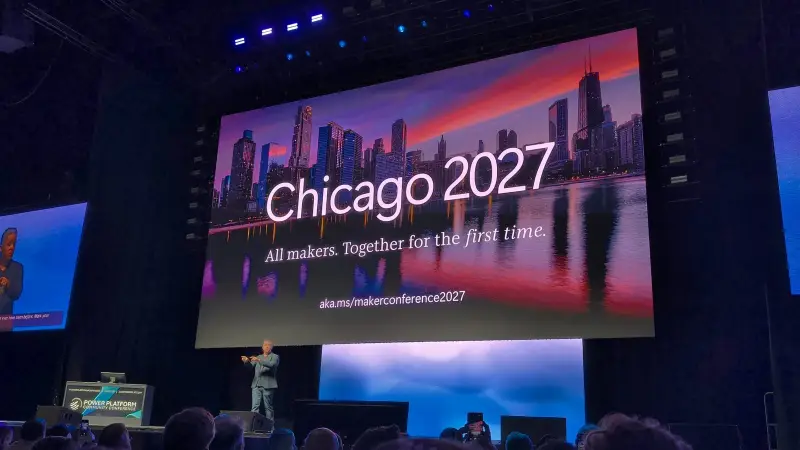
The registration page is aka.ms/makerconference2027. The keynote described a limited-time offer of 50% off registration and a free workshop for people who register promptly. For administrators, the more immediate takeaway from PPCC 2026 is the need to prepare for more makers and more AI-assisted solutions: the creation tools are widening, and Microsoft is adding hosting and governance features to support that growth.


