- Subject
- Microsoft 365 & SharePoint
- Filed
- Source
- Koskila
- Loans
- 320
Install the WIQD VS Code Extension from Its Bundled VSIX
WIQD 0.18.0 can’t resolve its VS Code extension through the Marketplace. Install the bundled VSIX, then set the language server path if it crashes.

WIQD 0.18.0 has two separate setup problems for Visual Studio Code: the installer can’t find the extension through the Marketplace, and the language server may fail to start even after the extension is installed. The package already contains a VSIX that avoids the first failure; a workspace setting can address the second.
What WIQD provides
Microsoft’s WIQD tool supports development of extensions for Microsoft 365 Copilot, including agents, skills, plugins and tools. It combines a command-line interface with a Visual Studio Code extension, offering language server support, project scaffolding and development utilities. The package also exposes a WIQD agent in GitHub Copilot Chat. That agent invokes a WIQD skill, which in turn calls the WIQD CLI.
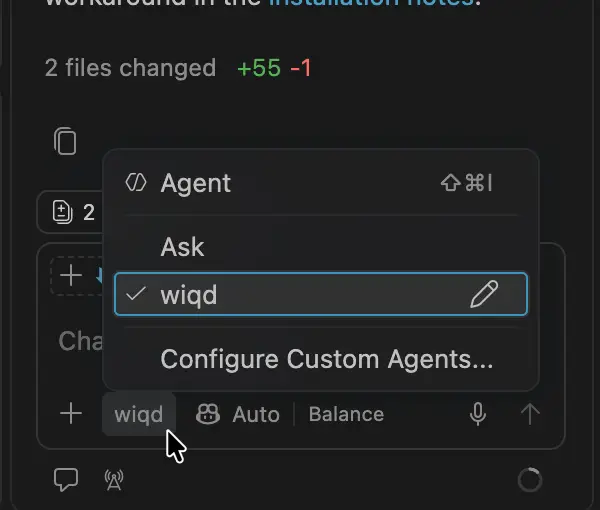
The extension is described as providing live validation for declarative agent schemas. In practice, the validation described here is run explicitly, either with the CLI or by asking the WIQD agent to validate a file. The CLI command is:
wiqd agent validate --path <path> --env dev --mode static --json --skill wiqd --workflow wiqd-coreThat distinction matters for developers expecting edits to declarativeAgent.json to trigger visible, continuous validation. The reported workflow is a command or agent request, rather than automatic validation as the file changes.
Why the documented installation fails
The documented installer is a shell script fetched from Microsoft’s WIQD installation URL:
curl -fsSL https://aka.ms/wiqd/install.sh | bashTo inspect it before running it, download and review the script first:
curl -fsSL https://aka.ms/wiqd/install.sh -o install-wiqd.sh
cat install-wiqd.sh
bash install-wiqd.sh
In the reported setup, the script failed while trying to add the VS Code extension, both when run with Bash and when attempted from PowerShell. Installing by extension ID also failed:
code --install-extension Microsoft.wiqdExtension 'microsoft.wiqd' not found.The WIQD CLI’s own installation command produces the same result:
wiqd component vscode installA trace from a failed attempt with WIQD 0.18.0 showed why: the CLI asks VS Code to install Microsoft.wiqd by ID. It doesn’t install the extension package included with the CLI. If VS Code can’t resolve that ID from its extension source, both routes fail.
An issue about the installer failure had been reported in the WIQD GitHub repository. The reported reproduction was on macOS, and the author suspected the failure could affect Windows as well; the available account didn’t confirm a Windows reproduction.
Install the VSIX included in the npm package
The useful workaround is already present in the published npm package: WIQD 0.18.0 includes the extension at @microsoft/wiqd/vsix/wiqd.vsix. Installing that local package file bypasses the failed Marketplace lookup.
For standard Visual Studio Code, run:
code --install-extension "$(npm root -g)/@microsoft/wiqd/vsix/wiqd.vsix" --forceFor Visual Studio Code Insiders, use its command:
code-insiders --install-extension "$(npm root -g)/@microsoft/wiqd/vsix/wiqd.vsix" --forceThe --force flag also makes the command suitable for reinstalling the extension. These commands assume the WIQD npm package is installed globally, so npm root -g can locate the global package directory.
Fix a language server startup failure
Installing the VSIX may expose another issue in WIQD 0.18.0: the language server can repeatedly crash. The output may include messages such as:
The wiqd LSP server crashed 5 times in the last 3 minutes.
Pending response rejected since connection got disposed
Code: -32097
Those messages report the server’s exit. The more useful clue appears earlier in the wiqd output channel:
Error: Cannot find module '<workspace>/wiqd'The extension first tries to locate the global npm package using npm prefix -g. If that lookup fails in VS Code’s extension-host environment, it falls back to wiqd. The extension then launches that value as a Node.js module. Node looks for a module named wiqd inside the workspace, which explains why a successful wiqd --version in a terminal doesn’t guarantee that the language server will start.
Set wiqd: Lsp Path to the absolute path of the CLI’s JavaScript entry point. Print the path for the current machine with:
printf '%s\n' "$(npm root -g)/@microsoft/wiqd/bin/wiqd.js"For a Homebrew installation, the example workspace setting is:
{
  "wiqd.lsp.path": "/opt/homebrew/lib/node_modules/@microsoft/wiqd/bin/wiqd.js"
}
The path varies by machine; use the value printed locally. Put it in .vscode/settings.json to apply it to the current workspace, or in User Settings if the same installation should serve multiple workspaces. Then run wiqd: Restart LSP Server from the Command Palette, or choose Developer: Reload Window. The WIQD output should show the absolute entry point rather than Using wiqd: wiqd.
Installer changes and a separate macOS issue
The installer can be adjusted to install the VSIX file instead of asking VS Code to resolve an extension ID. The existing step expands to code --install-extension Microsoft.wiqd --force. The suggested replacement locates the globally installed npm package and passes the bundled file:
npm_root=$(npm root -g 2>/dev/null || true)
vscode_vsix="$npm_root/@microsoft/wiqd/vsix/wiqd.vsix"
code --install-extension "$vscode_vsix" --force
There was also a separate shell parsing failure on the Bash 3.2 version shipped with macOS. The installer reported syntax error near unexpected token 'ps'. The cause was a case statement inside process substitution in a process-tree cleanup helper. Replacing that selection with an if branch allowed the script to parse on Bash 3.2:
if [[ "${OSTYPE:-}" == msys* || "${OSTYPE:-}" == cygwin* ]]; then
    ps -a
else
    ps -eo pid=,ppid=
fi | awk -v parent="$parent" '$2 == parent { print $1 }'
This syntax issue prevents the installer from starting on the affected shell; it is distinct from the Marketplace lookup and language server problems. For WIQD 0.18.0, the practical sequence is to install the bundled VSIX, inspect the WIQD output if the language server exits, and set wiqd: Lsp Path to the local CLI entry point when needed.


