- Subject
- Microsoft 365 & SharePoint
- Filed
- Source
- Tony Redmond
- Loans
- 828
Retrieve Large Entra Sign-In Log Sets with Smaller Graph Queries
Large Entra sign-in queries can time out or hit throttling. Breaking retrieval into shorter time windows makes the workload easier to manage.
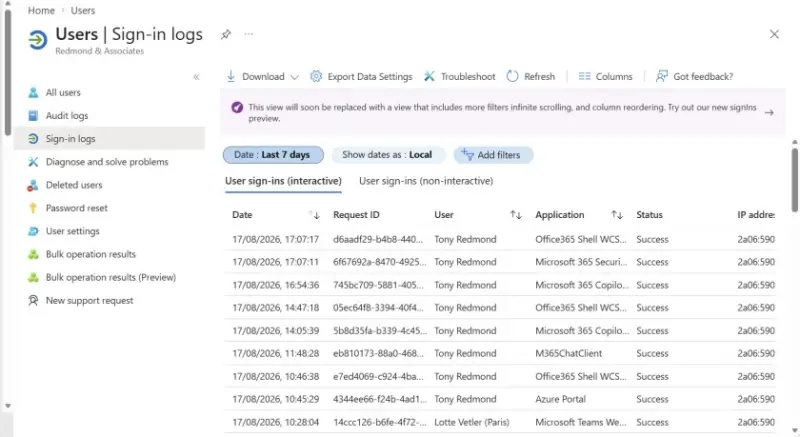
For Microsoft 365 administrators, the hard part of collecting Entra ID sign-in logs at scale is often the volume. A busy tenant can generate millions of events over the 30-day online period available to tenants with Microsoft Entra ID P1 or P2 licenses. Asking Graph to return a broad date range in one operation can lead to long waits, timeouts or throttling. Breaking the work into smaller date windows gives each request a more manageable amount of data to process.
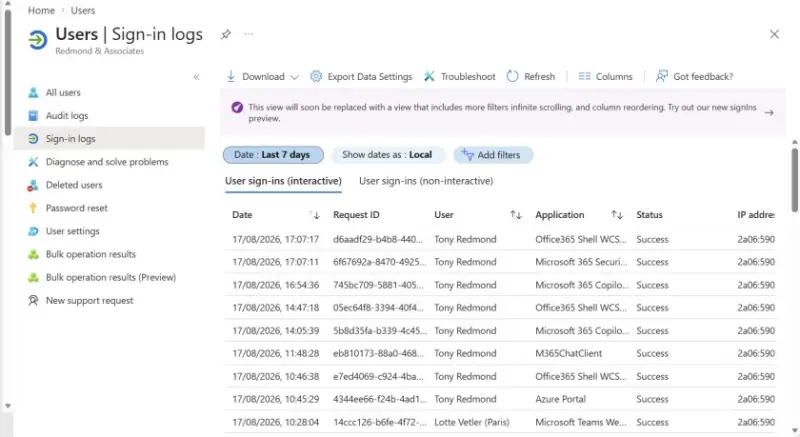
Sign-in records cover authentication by users, apps, service principals and agents. They can help administrators investigate access problems, examine tenant activity and understand how an identity authenticated. The records are available through the Graph API and the Get-MgAuditLogSignIn cmdlet. Retention varies by license and event type; risky sign-ins have different retention periods. Microsoft documents the applicable periods in its sign-in and activity report retention guidance.
Why broad requests become difficult
Graph returns results in pages, so collecting a large date range means handling multiple pages and continuation requests. Each additional request adds work, and a script that tries to retrieve every page can spend a long time waiting for responses. The Entra admin center uses a seven-day default range and loads additional records as needed, reflecting the practical limits of presenting a large result set at once.
One failure administrators may see is: “The request was canceled due to the configured HttpClient. Timeout of 300 seconds elapsing.” A request that runs for too long can hit that 300-second timeout before the retrieval finishes. Microsoft also cautions that Graph is not designed to pull large amounts of activity data, warning that doing so may cause pagination and performance problems. Its guidance recommends filtering by date to reduce the chance of a timeout. The details are in Microsoft's instructions for analyzing activity logs with Graph.
Throttling adds another constraint. Graph limits request rates across its workloads, including Entra ID. When a script requests large volumes, throttling can cause retries and delays. The Graph throttling guidance for identity and access reports describes the service limits administrators need to account for.
Check the query design
A few patterns make collection problems more likely: running a query across a wide date range, leaving out a filter on createdDateTime, or using the -All parameter to retrieve every available page in one run. Those choices can make a script try to process far more data than the tenant's request window can comfortably handle. Large tenants, or tenants with frequent sign-ins, are especially likely to encounter delays.
Start by deciding how much data each request should cover. For some tenants, dividing the 30-day period into one-day segments may be workable. A tenant with substantially higher event volume may need shorter windows, such as one hour at a time. These are examples of the approach, not fixed settings: the appropriate interval depends on the amount of sign-in activity and the behavior of the retrieval process in that tenant.
Split the retrieval into smaller windows
The underlying method is straightforward: query a smaller interval, collect its pages, then repeat for the next interval and combine the results. Smaller requests reduce the amount of data each operation must handle, which can make timeouts and throttling less likely. Administrators should still account for retries, errors and incomplete results when adapting this pattern for regular or operational use.
This approach also fits longer-term retention workflows. Sign-in data can be captured in the Microsoft 365 unified audit log when audit logging is enabled. Its retention rules differ from Entra's online sign-in retention: the unified audit log stores audit data for 180 days for Office 365 E3 accounts and 365 days for Office 365 E5 and higher licenses. Administrators can search it using Search-UnifiedAuditLog or the AuditLogQuery Graph API. Teams that need data beyond those periods can move it to a separate repository, such as Sentinel or Splunk, with recurring collection and ingestion. Azure Automation can run Graph-based audit searches involving large amounts of data.
Chunking is also used with other Microsoft 365 data. For example, Get-MessageTraceV2 supports retrieval windows of no more than 10 days. Retrieving a longer period, such as 90 days, therefore requires multiple requests for smaller intervals. The same divide-and-combine pattern applies to Entra sign-in records, though the suitable interval depends on the volume and service limits for the data being queried.
Adapt examples before relying on them
A PowerShell example demonstrating this method is available in the Microsoft 365 for IT Pros GitHub repository. It's a demonstration of the technique, not a production-ready collection system. Administrators adapting it should consider their tenant's event volume and add the error handling their workflow requires. A script that works for a smaller tenant may need shorter query windows or additional safeguards in a high-volume environment.
Graph JSON batching is another option for collecting data from Graph endpoints. It can combine requests, but implementing batches involves handling pagination, retries and results from multiple requests. For a PowerShell workflow, a series of smaller time-based queries is a simpler starting point. Whichever method a team chooses, the practical takeaway is to keep date filters narrow, monitor for throttling and confirm that the combined results cover the full period being collected.


