- Subject
- Microsoft 365 & SharePoint
- Filed
- Source
- Tony Redmond
- Loans
- 502
Microsoft Purview Changes Copilot Retention Policies and Memory Records
Microsoft is separating Copilot retention from Teams policies and adding retention support for Copilot memories, with rollouts scheduled for fall 2026.
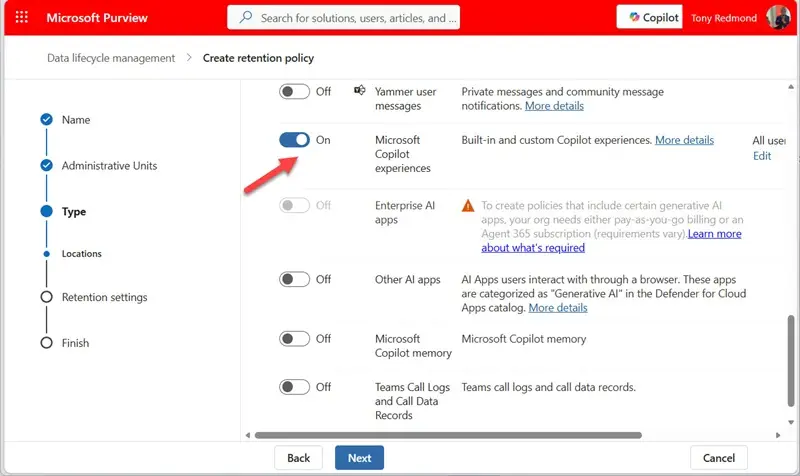
Microsoft 365 administrators should review how Purview retains Copilot data before two changes roll out in fall 2026. Microsoft plans to stop older Teams retention policies from processing Copilot interactions, while adding retention support for Copilot memory items. Together, these changes make Copilot records easier to manage as distinct data, but tenants with existing policies may need to create a dedicated Copilot policy.
Separate retention for Copilot interactions
Message center notification MC1481313, dated 28 September 2026, describes the change to Teams retention policies. Microsoft will remove Copilot interactions from policies that currently process both Teams chats and Copilot records. The rollout is scheduled to start in late October 2026 and finish by mid-November 2026.
When Microsoft first introduced Copilot, it stored compliance records of prompts and responses in the hidden TeamsMessagesData folder in user mailboxes. Teams retention policies could then cover those records alongside Teams chats. Microsoft later added the ability to create separate Purview retention policies for Teams and Copilot data, but older policies could still process both kinds of record.
After the change, an older policy that covers Teams and Copilot interactions will no longer retain the Copilot records. Administrators using such policies should create a separate retention policy for Copilot “experiences” and check that its retention settings meet their organization’s requirements. Microsoft’s guidance on Copilot retention policies describes the policy setup. Coverage includes interactions captured by both free and paid Copilot clients.
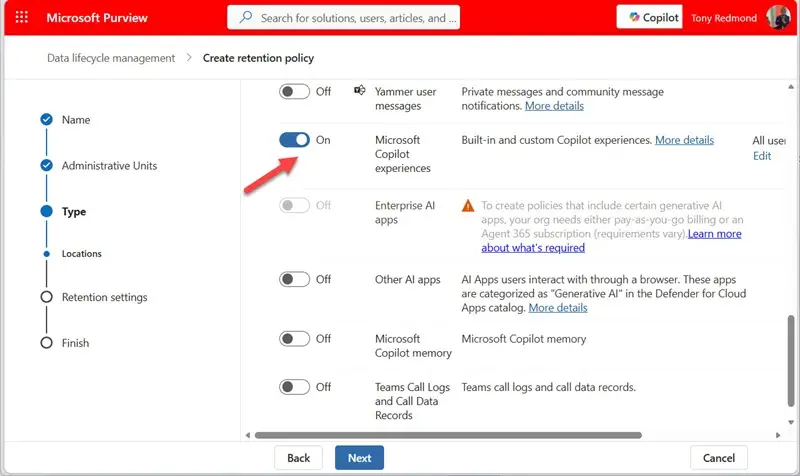
The practical check for tenant teams is whether any existing Teams policy still handles Copilot records. If it does, the new policy needs to be in place before the October rollout begins, so there is no gap in the intended retention coverage. Teams that already use distinct Copilot policies should still confirm their configuration and scope.
Copilot memory enters Purview lifecycle management
A separate change adds Purview data lifecycle management support for Microsoft 365 Copilot memory. Notification MC1478965, dated 24 September 2026, links the feature to Microsoft 365 Roadmap item 569612. The rollout is scheduled to begin in late September 2026 and complete by mid-October 2026.
Copilot memory helps personalize responses using saved memories, details inferred from chat history, and custom instructions. Microsoft says memory settings are stored in a hidden folder in the user’s Exchange Online mailbox. Users can manage their memory settings through Copilot settings.
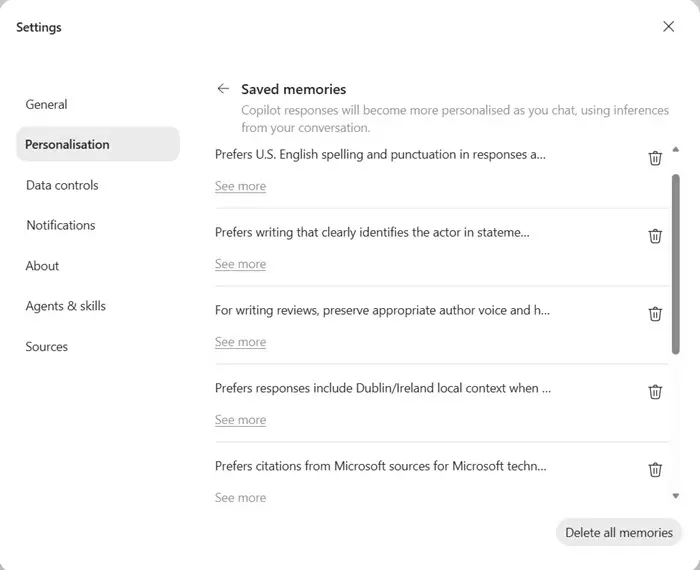
Microsoft says compliance teams will be able to access historical versions of Copilot memory items to see how the content changed over time. The stated access path is through eDiscovery searches and exports. That gives compliance teams a way to examine retained memory records, though the notice does not explain the files’ internal format or what fields they contain.
For administrators, the useful distinction is that memory is a separate set of user data from the prompt and response interactions covered by Copilot retention policies. The new lifecycle support gives teams a way to apply retention controls to memory records as well. Teams preparing for the rollout can identify who owns Purview policy configuration and consider how they will verify that memory items are discoverable through the described search and export workflows.
Outlook themes and fewer Copilot records
Notification MC1492954, dated 9 October 2026, also announces the retirement of Copilot themes in Outlook. When Outlook generated a custom theme based on details such as weather or location, the Microsoft 365 substrate created a Copilot compliance record. Retiring that feature should reduce the number of interactions Purview has to process, although the notice provides no figure for the expected reduction.
Limits on inspecting the hidden mailbox folder
Administrators who troubleshoot retention may find it harder to inspect the underlying records directly. MFCMAPI can show that TeamsMessagesData exists, but it can no longer open the folder’s contents table. Microsoft has also restricted Graph access to non-IPM folders. These limits affect direct inspection of the hidden folder, including quick checks for whether an item is present.
Copilot interaction details remain available through the aiInteractionHistory Graph API. That provides a programmatic route for retrieving interaction details, but it takes more effort than opening the folder in MFCMAPI for a basic presence check. Administrators should account for that difference when planning how to validate retention behavior.
The fall changes put separate Purview controls around Copilot interactions and memory, while also limiting one familiar way to inspect interaction records. Tenant teams should review legacy policy scope, create a dedicated Copilot retention policy where needed, and plan their checks around the available search, export, and API paths.


